Split Screen Extension-Browser Extension adds split screen functionalities to your browser.
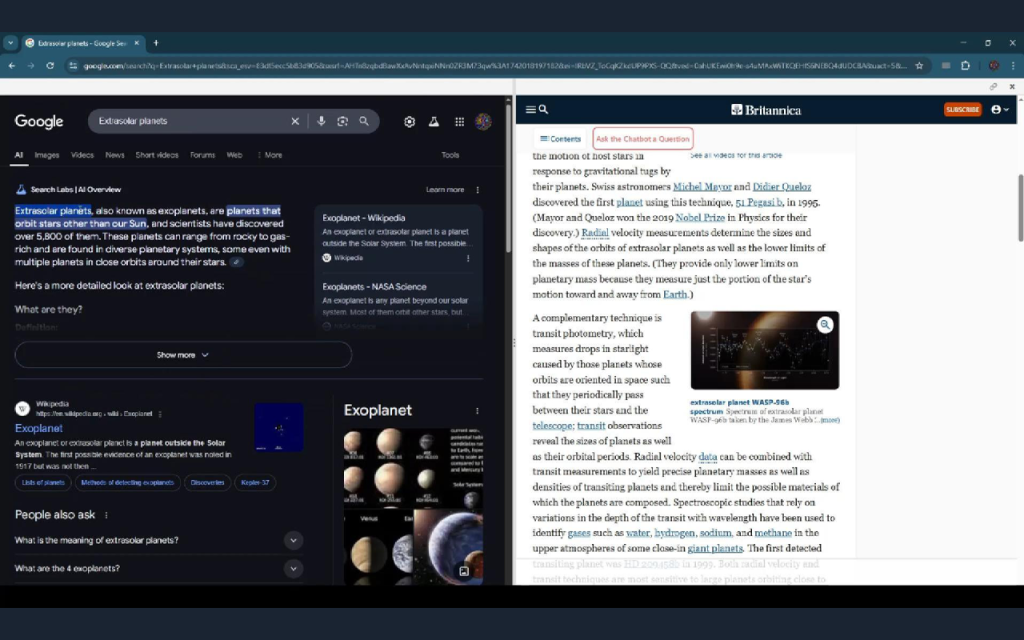
This extension adds split-screen view to chrome and all other browsers. Perfect for comparing content, reading documentation while coding, or multitasking between different websites.
Features:
• Right-click any link and select “Open in Split Screen” to view it alongside your current page
• Select text and right-click to search it in split screen
• Drag the divider to adjust split screen proportions
• Compatible with most websites
• Non-intrusive: only activates when you choose to use it
How to use:
1. Right-click on any link or select any text and right click
2. Choose “Open/Search in Split Screen” from the context menu
3. The page will split, showing your current page on the left and the new content on the right
4. Drag the center divider to adjust the split ratio